Camera perspective bends the staves
Symptom: The same staff changes width or angle across the photo.
How to fix it: Photograph the page straight-on in even light, or use a scanner; crop and deskew before recognition.
OMR import with correction
Use this sheet music scanner to scan sheet music from PDF or image files, create an editable MusicXML candidate, review diagnostics, and correct OMR mistakes online.
Scanning is import plus correction. The site should not promise perfect automatic recognition for all PDFs or photos.
See the real result first
See the uploaded page, recognition diagnostics, MusicXML preview, and correction path before deciding whether the scan is usable.
After
A structured recognition candidate with diagnostic evidence, not an unexplained black-box download.
Download output caseWhat to inspect
Real downloadable samples
The team created this short test phrase. Each file can be downloaded, parsed, and opened independently in compatible software.
PDF and MusicXML topic hub
Six distinct guides cover conversion, format choice, scan preparation, OMR correction, MuseScore import, and a transparent benchmark without making the pages compete for one query.
Platform modules
Each feature page maps back to the same score project model rather than a separate one-off converter.
Module
OMR upload
Connected to the score project workflow.
Module
Audiveris worker
Connected to the score project workflow.
Module
MusicXML output
Connected to the score project workflow.
Module
Diagnostics panel
Connected to the score project workflow.
Real product example
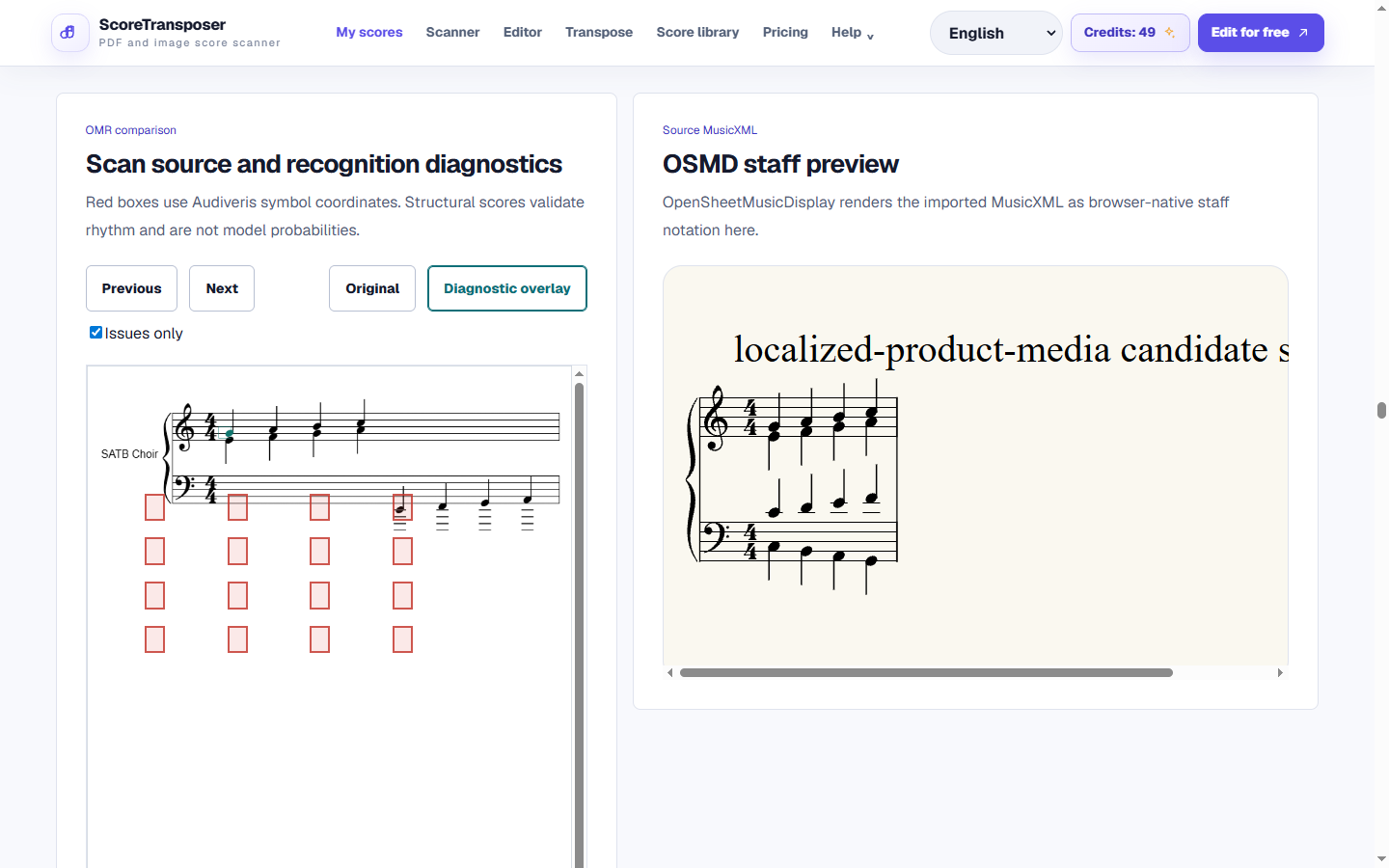
Captured from the product workspace that hosts OMR candidates and correction. The captured candidate is a deterministic fixture, so the image proves the review surface rather than aggregate Audiveris accuracy. Captured: Aug 29, 2026.
Output
Audiveris MusicXML candidate with diagnostics, confidence and editable Score JSONDownload output caseThose are production capabilities. The public input and output downloads are deterministic format references, not a claimed input-output recognition benchmark.
Workflow
The public page leads into the authenticated app workflow when users are ready to process a score.
Upload a PDF or image
The app stores the source and creates an OMR import job tied to a score project.
Run Audiveris recognition
When configured, the worker calls Audiveris, stores the generated MusicXML, and creates an editable candidate revision.
Correct the candidate
Review diagnostics, preview the score, fix recognition mistakes, then export or generate practice materials.
Product detail
Common errors
Symptom: The same staff changes width or angle across the photo.
How to fix it: Photograph the page straight-on in even light, or use a scanner; crop and deskew before recognition.
Symptom: Voices, beams, ornaments, or cross-staff notation are merged or omitted.
How to fix it: Use the scan as a starting candidate and budget time for measure-by-measure correction.
Symptom: The task completes but the musical content still differs from the page.
How to fix it: Completion only means files were produced; inspect diagnostics, render the candidate, and compare it with the source.
Accuracy statement
OMR quality depends on the source, not just the file type. Clean printed notation is usually easier than handwriting, phone photos, faded copies, cross-staff piano writing, or dense orchestral pages. We expose the candidate and diagnostics so users can judge the result themselves.
Workflow comparison
This compares workflow categories, not the overall superiority of any brand. Product scope and capabilities change over time.
| Workflow | Best for | Tradeoff |
|---|---|---|
| ScoreTransposer browser workflow | Recognition followed by correction, transposition, playback, and open-format export. | It prioritizes a reviewable project over a one-click perfection claim. |
| Scan-only OMR tool | Fast file conversion when the source is already very clean. | The result may need to be moved elsewhere for correction and version control. |
| Manual notation entry | Maximum control on difficult or unusual engraving. | Accurate but slower because the score is reconstructed by hand. |
FAQ
Practical limits and the expected workflow for this score tool.
The app stores the source and creates an OMR import job tied to a score project.
Yes. Successful imports become Score JSON revisions that can be corrected, transposed, played, and exported from the score workspace.
Scanning is import plus correction. The site should not promise perfect automatic recognition for all PDFs or photos.
Related workflows
These pages use the same MusicXML and Score JSON source instead of sending the score through disconnected converters.