Platform modules
Sheet music maker tools for writing and editing
Module
See your sheet music
See the rendered staff notation while checking pitches and rhythms.
Module
Save your changes
Keep each saved edit as a version you can revisit later.
Module
Correct notes and rhythm
Select, insert or delete notes and adjust pitch, duration and measures.
Module
Extract instrument parts Beta
Copy selected instruments into a separate practice score; part extraction is in Beta.
Module
Restore earlier versions
Return to an earlier saved score if a change does not work for you.
Module
Collaborate on a score Beta
Invite people with viewing or editing permissions; real-time collaboration is in Beta.
Real product example
One score, structured input and reusable output
Captured from the running score workspace after importing test MusicXML. Captured: Aug 29, 2026.
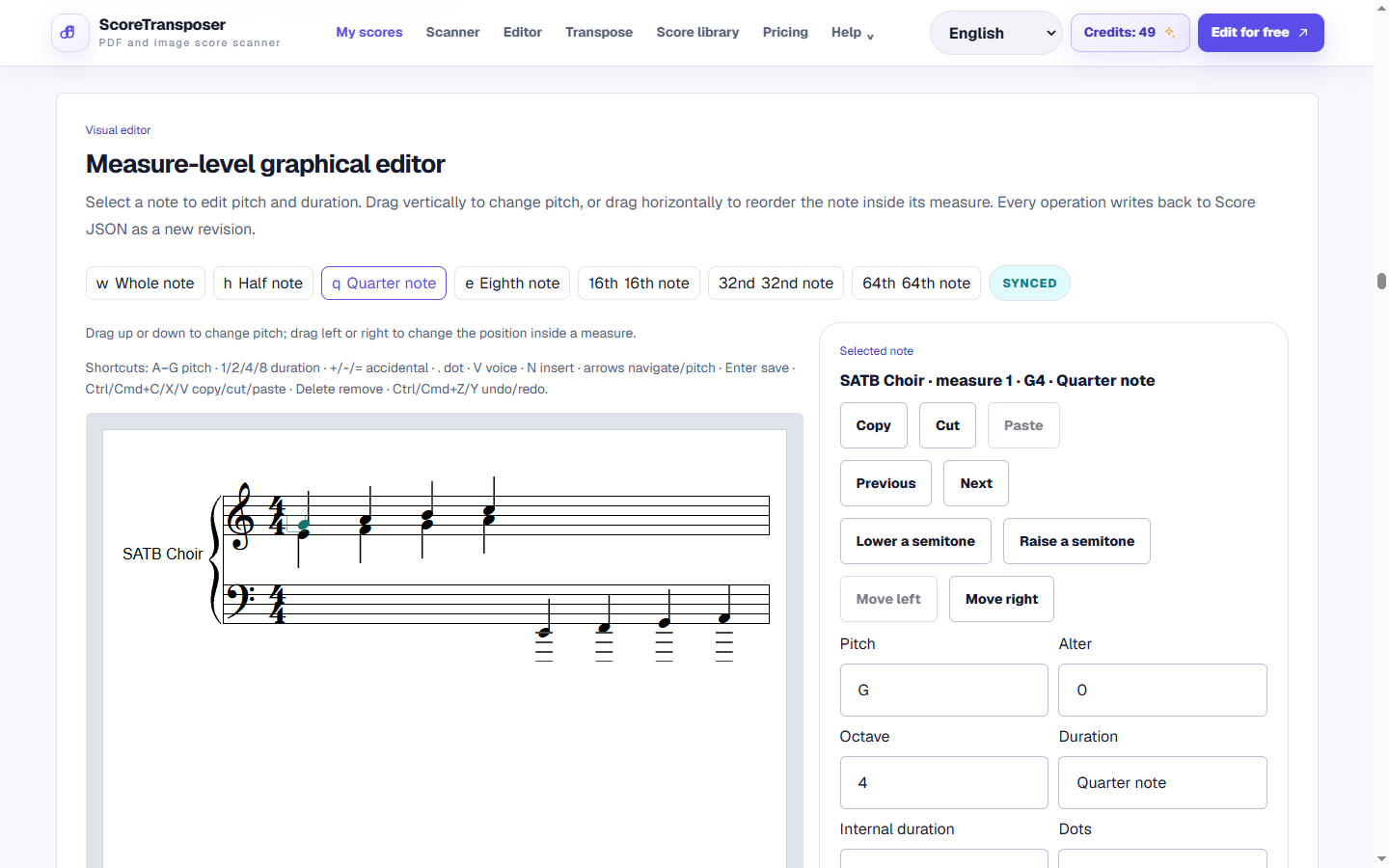
Select, insert, delete or drag notes in the score, then adjust their pitch, duration and other musical properties.
Workflow
How to make sheet music online
Start with notation or an imported score
Use the sheet music maker with typed Jianpu, an imported MusicXML or MIDI file, or a reviewed scan. Typed Jianpu needs a key, meter and note durations.
Write and correct the notes
Select notes or rests to change pitch and duration. Insert or delete notes, adjust measures, and edit tempo, dynamics, lyrics and musical symbols.
Listen, save and export
Play the score to check your work, save a new version, then download MusicXML or MIDI. Use PDF export when you need a printable part.
Starting with paper? Use the sheet music scanner or PDF to MusicXML converter first. After editing, transpose sheet music or convert sheet music to MIDI for rehearsal.
Product detail
Edit an imported MusicXML or MIDI file
Fix the notes in a scanned score
Work on sheet music together
Extract parts from a score
FAQ
FAQ
Practical limits and the expected workflow for this score tool.
Do I need music theory to use it?
You can start with the sheet music maker by importing a score and checking it against the original. Understanding pitch, rhythm, key signatures and time signatures helps when writing or correcting notes. The editor lets you hear changes, but it does not decide whether your musical choices are correct.
Can I edit a MIDI file after importing?
Yes. Import the MIDI file, inspect the notation, then change notes, rests, durations and measures. Expressive timing and overlapping tracks can make the first notation draft messy, so review it before printing.
How do I extract just the violin part?
Open a score that contains a separate violin part, choose that part in the part-copy tool, and create an independent practice score. Part extraction is in Beta. It copies existing parts and does not automatically separate instruments combined in a single part.
Can I make sheet music without uploading a file?
You can type or paste structured Jianpu with a key, meter and note durations, then convert it to staff notation and edit the notes. The current workflow starts from typed notation or an imported score; full free-form engraving and page-layout control remain in development.
Related workflows
Continue with the same score project
These pages use the same MusicXML and Score JSON source instead of sending the score through disconnected converters.