Platform modules
Music notation software for students and teachers
Module
Classes
Organize learners into a class.
Module
Share links
Share a score with appropriate access permissions.
Module
Assignments
Set practice instructions and a due date.
Module
Student submissions
Review the work students submit.
Module
Recordings
Listen to submitted practice recordings.
Module
Rubrics
Use criteria to structure your feedback.
Module
LTI pilot
Try the limited LTI integration in a pilot course.
Real product example
One score, structured input and reusable output
Captured from the running assignment workflow. Classroom and School remain Beta and are not presented as a completed institution-wide LMS replacement. Captured: Sep 30, 2026.
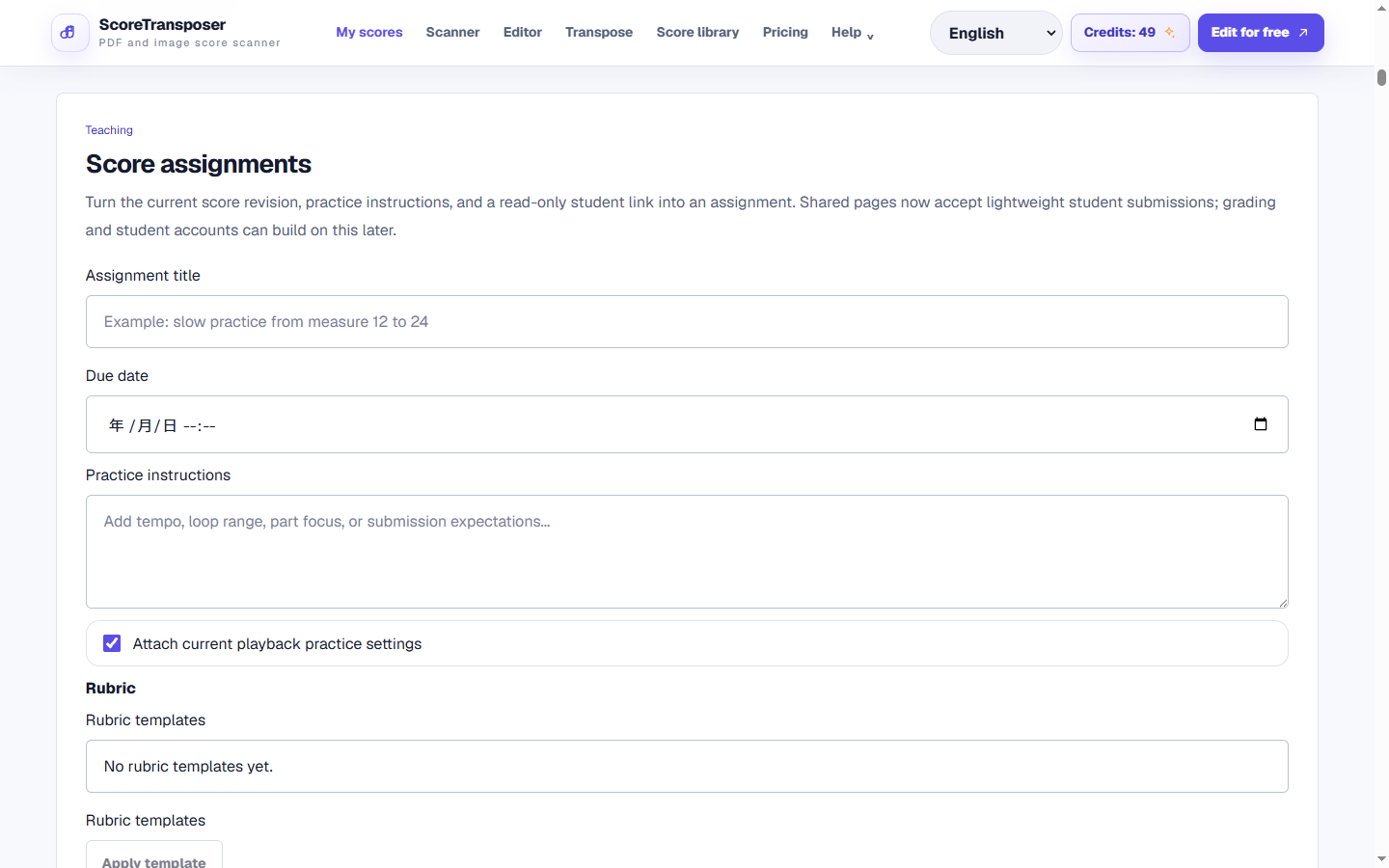
Classroom management exists separately from project-level share and assignment controls.
Workflow
How to assign sheet music practice
Create a score project
Import or scan a score, correct it, and keep it as the teacher-owned source of truth.
Create a class and assign practice
Organize learners in a class, generate a read-only score link, add instructions and due dates, and attach reusable rubric criteria.
Review submissions
Students can submit notes, links, practice minutes, and performance files; teachers can grade and add timed feedback.
Product detail
No-login student path
Classroom / School Beta
FAQ
Questions about Music Notation Software for Students
Practical limits and the expected workflow for this score tool.
What do I need to use the teaching tools?
Sign in with an account that has teaching access enabled and open a score in your workspace. Classroom features are in beta and depend on your assigned role and access.
How do students receive assignments and feedback?
Create an assignment and share its student link. Students can submit work through the enabled workflow; teachers can review submissions, recordings and grading feedback. Check the sharing permissions before distributing the link.
Does the beta replace a complete learning management system?
No. Classes, assignments, feedback and the LTI pilot support specific teaching workflows. Check the available features and limits before planning a full course around them.
Related workflows
Continue with the same score project
These pages use the same MusicXML and Score JSON source instead of sending the score through disconnected converters.