Platform modules
Transpose sheet music by key, semitones or instrument
Module
Transpose by semitones
Move the notes up or down by a chosen number of semitones.
Module
Choose a target key
Select the key that suits your singer or ensemble.
Module
Transposing instruments
Prepare written parts for supported Bb, A, Eb or F instruments.
Module
Check the range
Review notes outside the chosen voice or instrument range.
Real product example
One score, structured input and reusable output
Captured from the running score project workspace and revision workflow. Captured: Aug 29, 2026.
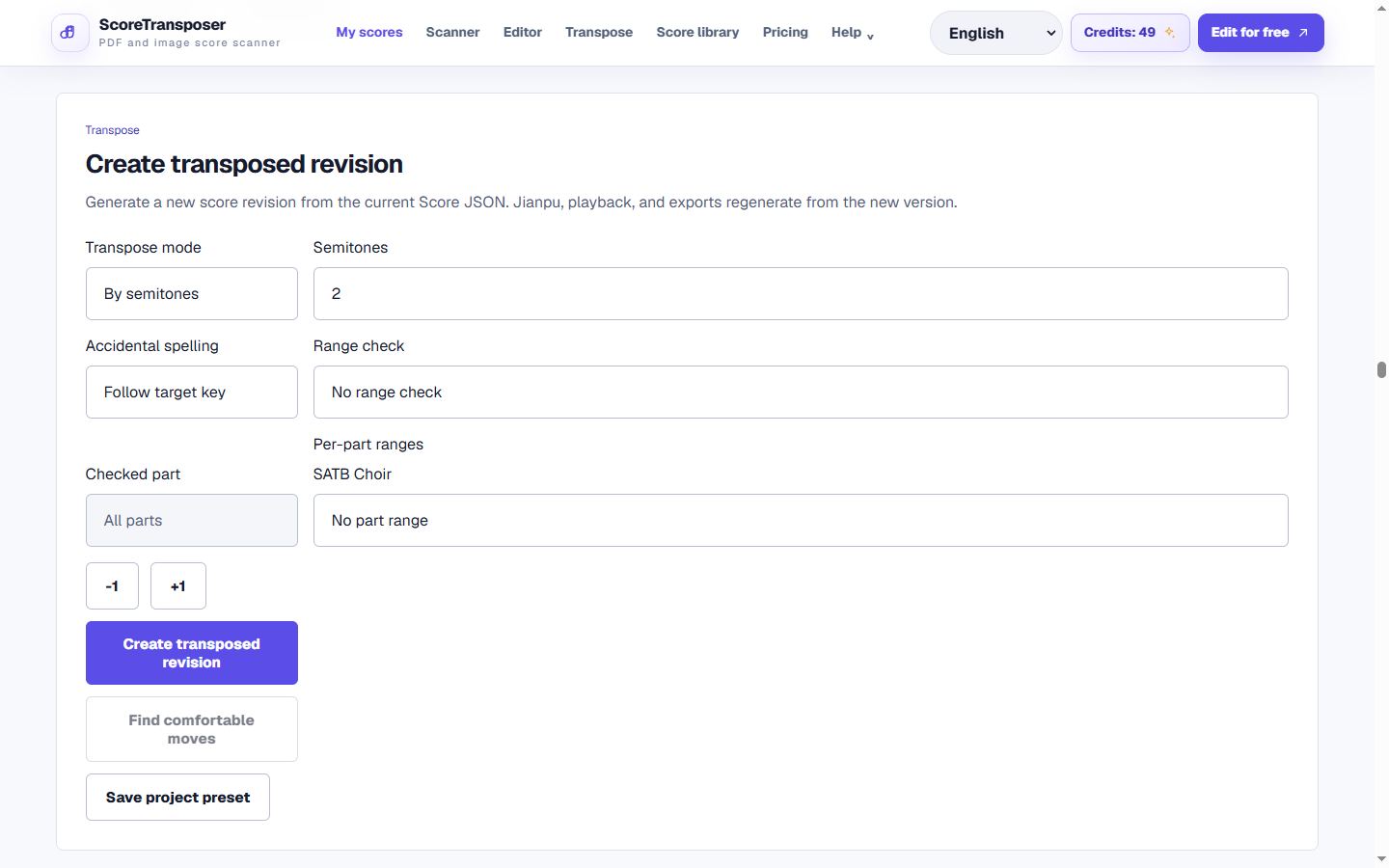
The current implementation supports semitone, target-key and transposing-instrument modes.
Workflow
How to transpose sheet music online
Open your sheet music
Import MusicXML, MIDI or Jianpu, or scan a PDF and correct its notes before changing key.
Choose the transposition mode
Move by semitones, choose a target key, or create a written part for Bb, A, Eb, or F instruments.
Check the resulting range
Check high and low notes against the selected voice or instrument range, then listen to the result before exporting.
Begin with the sheet music scanner if your source is a PDF. Correct notation in the sheet music editor, then export the transposed score as MIDI to hear it in your music software.
Product detail
Change key without losing the original
Export your transposed sheet music
FAQ
FAQ
Practical limits and the expected workflow for this score tool.
Can I transpose sheet music from a PDF?
Yes, first scan the PDF and correct any recognition mistakes. Then choose a target key or a semitone change in the transposer. The notes must be editable before their pitches can be changed.
How do I change a song from C major to D major?
Open the editable score and choose D major as the target key, or move it up two semitones. Check accidentals and the resulting range, then listen before exporting.
Can I make a part for a transposing instrument?
The transposer provides profiles for supported Bb, A, Eb and F instruments. Check whether your source is in concert pitch or already transposed before selecting a profile, and review the written range afterward.
Will transposing overwrite my original score?
No. A transposition is saved as a new version, so you can compare the result with the original and return to an earlier version.
Related workflows
Continue with the same score project
These pages use the same MusicXML and Score JSON source instead of sending the score through disconnected converters.