The interval moves in the wrong direction
Symptom: The new score is higher when the singer or instrument needed a lower key.
How to fix it: Confirm up/down direction and preview the lowest and highest resulting notes before export.
Target key, semitones, and instrument parts
Transpose sheet music online by semitones, target key, or instrument profile. Keep the original score, create a new revision, and review range and spelling.
Transposition uses music21 when configured and keeps a deterministic TypeScript fallback; complex enharmonic spelling and clef comfort still require review.
See the real result first
Choose semitones, a target key, or a transposing-instrument profile, then compare the new revision with the untouched source.
Before
A structured MusicXML/Score JSON score in C major with the notes C, D, E, and G.
Download input caseAfter
A separate D-major revision with D, E, F-sharp, and A, available as real MusicXML.
Download output caseWhat to inspect
Real downloadable samples
The team created this short test phrase. Each file can be downloaded, parsed, and opened independently in compatible software.
Platform modules
Each feature page maps back to the same score project model rather than a separate one-off converter.
Module
Score JSON transposition
Connected to the score project workflow.
Module
Target-key mode
Connected to the score project workflow.
Module
Instrument profiles
Connected to the score project workflow.
Module
Range diagnostics
Connected to the score project workflow.
Real product example
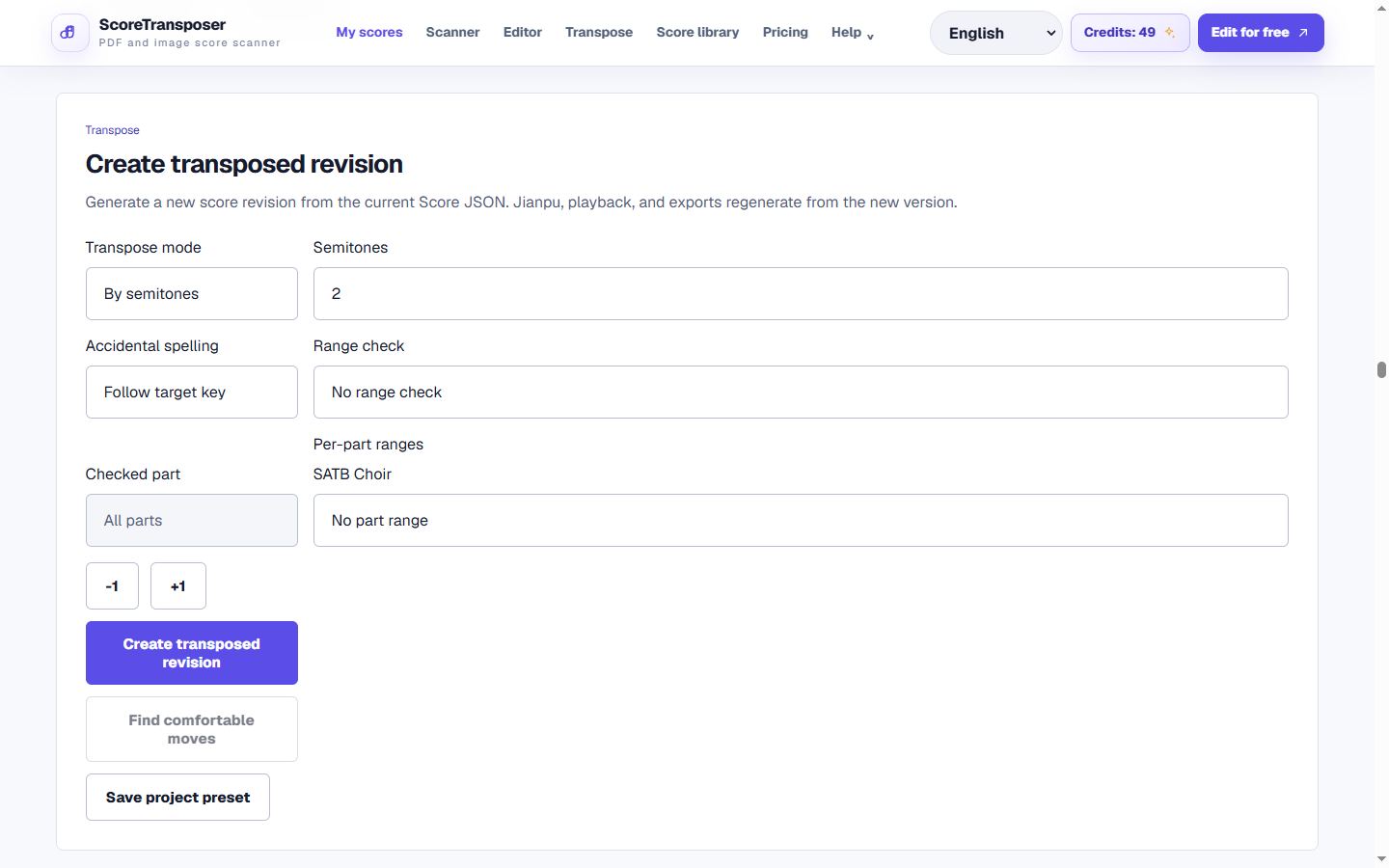
Captured from the running score project workspace and revision workflow. Captured: Aug 29, 2026.
The current implementation supports semitone, target-key and transposing-instrument modes.
Short product demo
Short product demo: transposing a score into a new revision
Workflow
The public page leads into the authenticated app workflow when users are ready to process a score.
Open a score project
Use any project with a current Score JSON revision created from MusicXML, OMR, Jianpu, MIDI, or Score JSON import.
Choose the transposition mode
Move by semitones, choose a target key, or create a written part for Bb, A, Eb, or F instruments.
Check the resulting range
Optional voice and instrument range profiles report low/high notes and write warnings into the new revision.
Product detail
Common errors
Symptom: The new score is higher when the singer or instrument needed a lower key.
How to fix it: Confirm up/down direction and preview the lowest and highest resulting notes before export.
Symptom: A Bb, Eb, F, or A instrument part sounds in the wrong key.
How to fix it: Use the instrument profile and verify one known written-to-sounding pitch before processing the whole part.
Symptom: The notes sound right but contain hard-to-read double accidentals or uncomfortable clefs.
How to fix it: Review enharmonic spelling, key signature, clef, and range; musical readability still needs human judgment.
Accuracy statement
The pitch interval transformation is deterministic for structured notes, and the downloadable example is checked note-for-note. That does not make every notation choice automatically optimal: enharmonic spelling, octave placement, clef changes, vocal tessitura, and instrument range remain musical decisions.
Workflow comparison
This compares workflow categories, not the overall superiority of any brand. Product scope and capabilities change over time.
| Workflow | Best for | Tradeoff |
|---|---|---|
| ScoreTransposer browser workflow | Non-destructive revisions, target-key/instrument modes, range checks, and regenerated exports. | Final spelling and part readability still need review. |
| Traditional notation editor | Manual engraving adjustments after transposition. | The operation may involve more setup and manual comparison with the source revision. |
| Static PDF pitch-shift workflow | Changing playback audio without needing editable notation. | It does not create a trustworthy structured score or instrument part. |
FAQ
Practical limits and the expected workflow for this score tool.
Use any project with a current Score JSON revision created from MusicXML, OMR, Jianpu, MIDI, or Score JSON import.
Yes. Successful imports become Score JSON revisions that can be corrected, transposed, played, and exported from the score workspace.
Transposition uses music21 when configured and keeps a deterministic TypeScript fallback; complex enharmonic spelling and clef comfort still require review.
Related workflows
These pages use the same MusicXML and Score JSON source instead of sending the score through disconnected converters.